
Automation-Ready Workholding — How to Build a Robot-Ready CNC Cell Without Replacing Your Machines
Shops rarely automate because they want a robot. They automate because a good operator can only cover so many hours, and the spindle stops earning the moment they clock out.
Then the automation quote arrives, and the number is big enough to reconsider. Before you sign it, there is a cheaper question worth answering: is your workholding actually ready to be automated?
Most automation projects do not fail because the robot was under-specified. They fail at the interface — a fixture that depends on an operator’s judgement. A person wiggles a part until it seats, wipes a chip off a locating face, feels whether a clamp took. A robot does none of that. It places the part at a fixed point and expects the same result every time.
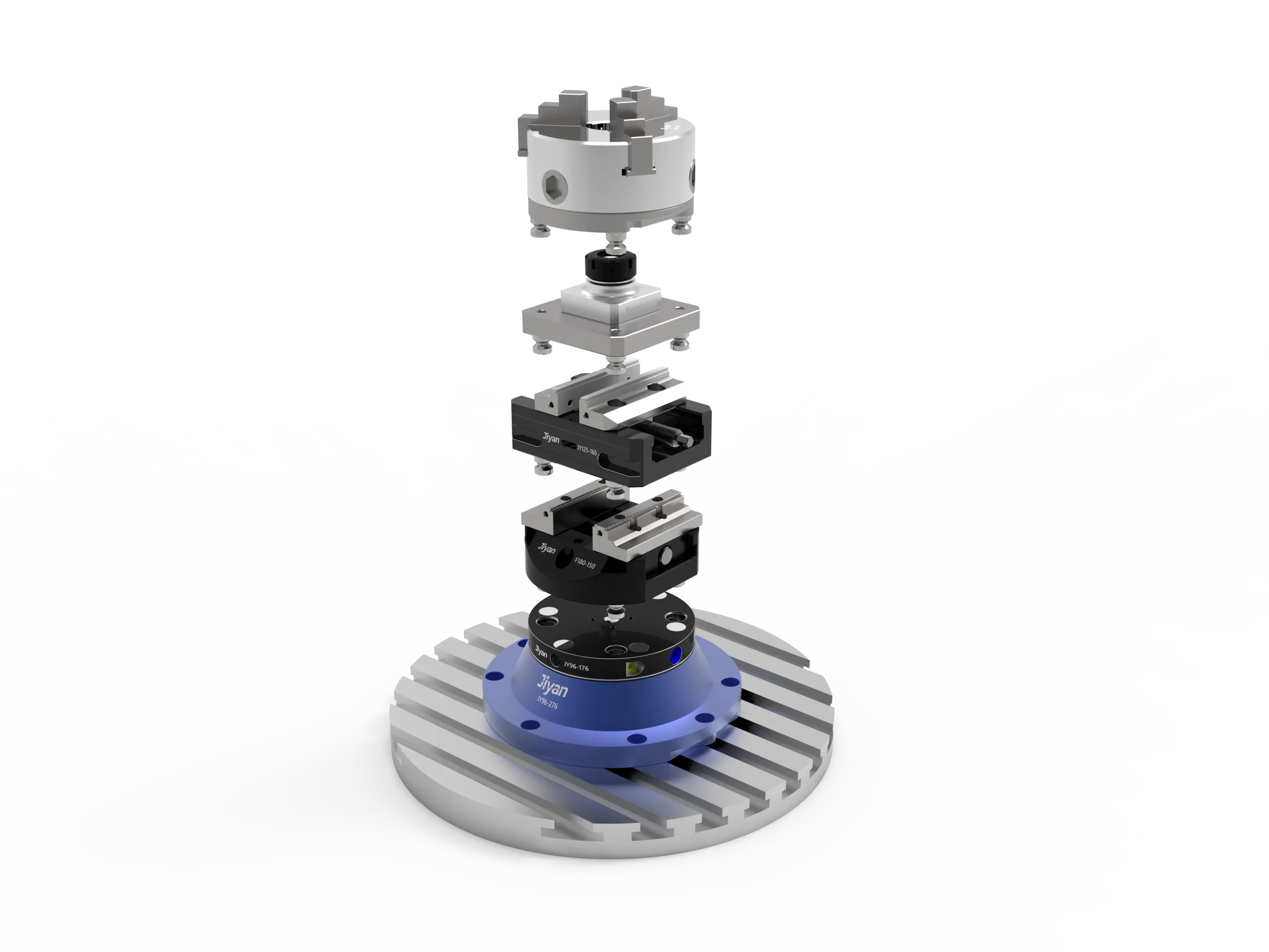
This guide covers the sequence that works — standardise the datum, move setup off the machine, make clamping verifiable, and only then choose how the parts get loaded.
Why automation projects stall at the fixture
An unattended machine has no ability to compensate. That single constraint turns small inconsistencies into scrap and stoppages.
Three failure modes account for most stalled cells:
- The part does not seat. A chip on a locating face that an operator would brush away becomes a part clamped 0.2 mm out of position — and every dimension on that part is now wrong.
- Clamp state is assumed, not confirmed. A manual clamp either feels right or gets re-tightened. Pneumatic clamping without confirmation gives you no signal at all when an air line drops or a jaw hangs up.
- The datum drifts between operations. If op 10 and op 20 use different reference surfaces, you accumulate stack-up that no amount of robot precision can recover.
The fix is always the same order of operations: one datum, offline setup, verifiable clamping — then automation. Buying the robot first just automates the inconsistency.
What “automation-ready” actually requires from workholding
Four requirements, none of them optional:
| Requirement | What it means in practice | Why the robot needs it |
|---|---|---|
| A single repeatable datum | Every fixture, pallet and cube locates to the same interface, repeatable to microns | The robot teaches one set of pick-and-place points, not one per fixture |
| Passive guidance | Chamfered leads and generous entry angles so the part self-aligns as it seats | A robot places with positional accuracy, not with feel |
| Verifiable clamp state | Air-actuated clamping with seat confirmation and a fail-safe state | The cell must know the part is held before the door closes |
| Chip-tolerant seating | Air blast through the locating faces before clamp | Nobody is there to wipe the datum |
Notice that three of the four are about seating and confirmation, not holding force. Most shops over-specify clamping force and under-specify repeatability.
Step 1 — Fix one datum across the whole floor
This is the decision everything else depends on. A zero-point interface gives you a mechanical datum that a pallet, a vise or an entire tombstone drops onto and locks to — repeatably.
JIYAN’s pneumatic zero-point clamps seat the pallet against hardened locators and pull it down with up to 55 kN of pull force at 1.2 MPa, holding ±0.005 mm repeatability. They self-lock on air loss, so a shop-air drop does not drop the part — a hard requirement before you leave a machine running unattended.
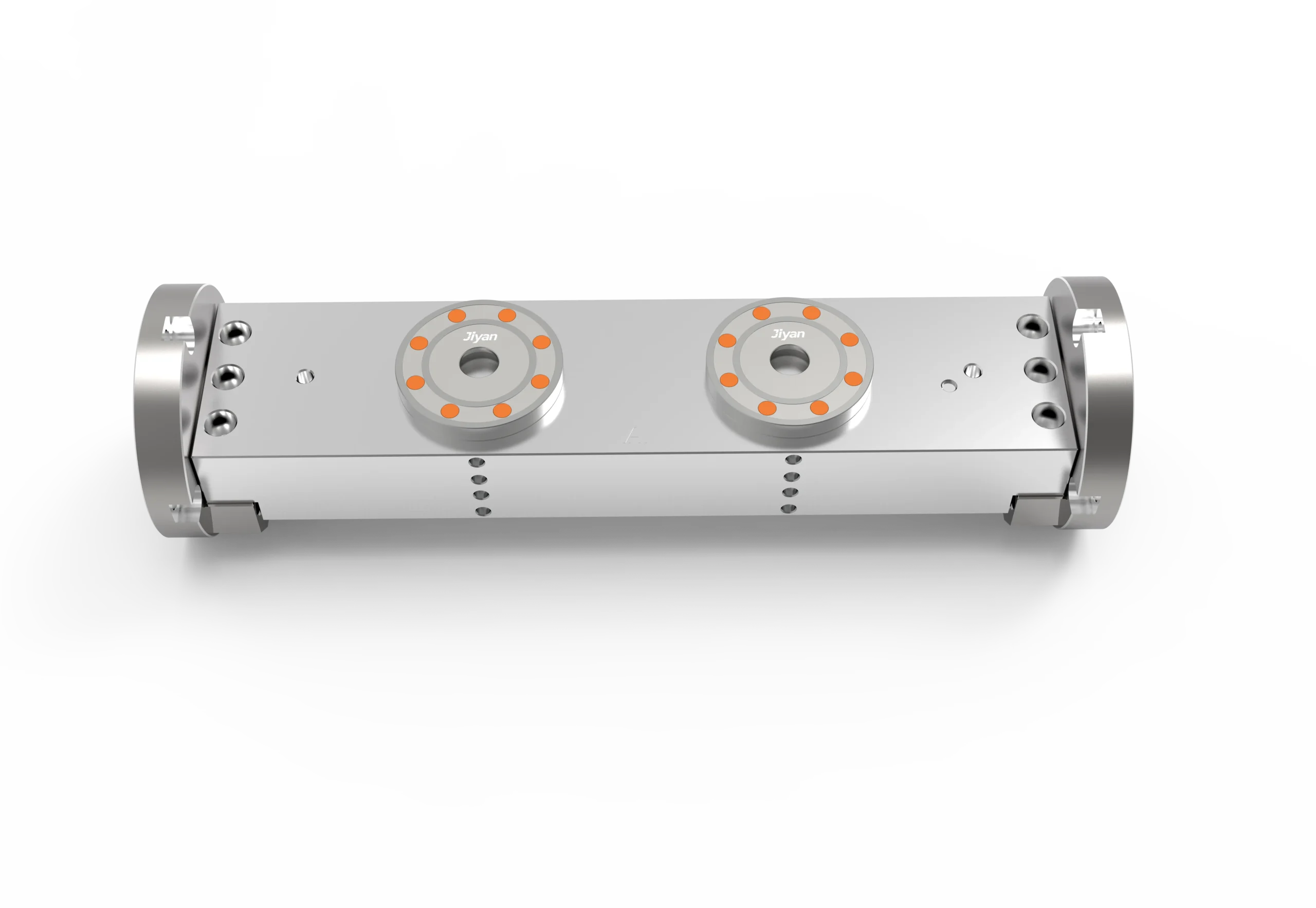
Two practical rules:
- Pick one interface size and stay with it. Mixing H18 and H138 across the floor fragments the benefit — you lose the ability to move any pallet to any machine.
- Size by envelope, not by habit. H18 covers most standard job-shop work; H138 is for heavy cubes, large tombstones and bigger locating faces.
Browse the full range on the zero-point plate and pallet category page.
Step 2 — Move the setup off the machine
Automation’s biggest return is not the robot arm. It is the fact that setup stops consuming spindle time.
With a zero-point datum, the operator indicates a fixture once — on the pallet, at the bench — and from then on loading is a lift-and-drop. Changeovers that took 30–45 minutes of indicating and proving out become about 90 seconds of swap. Crane the next pallet while the current one is still cutting.
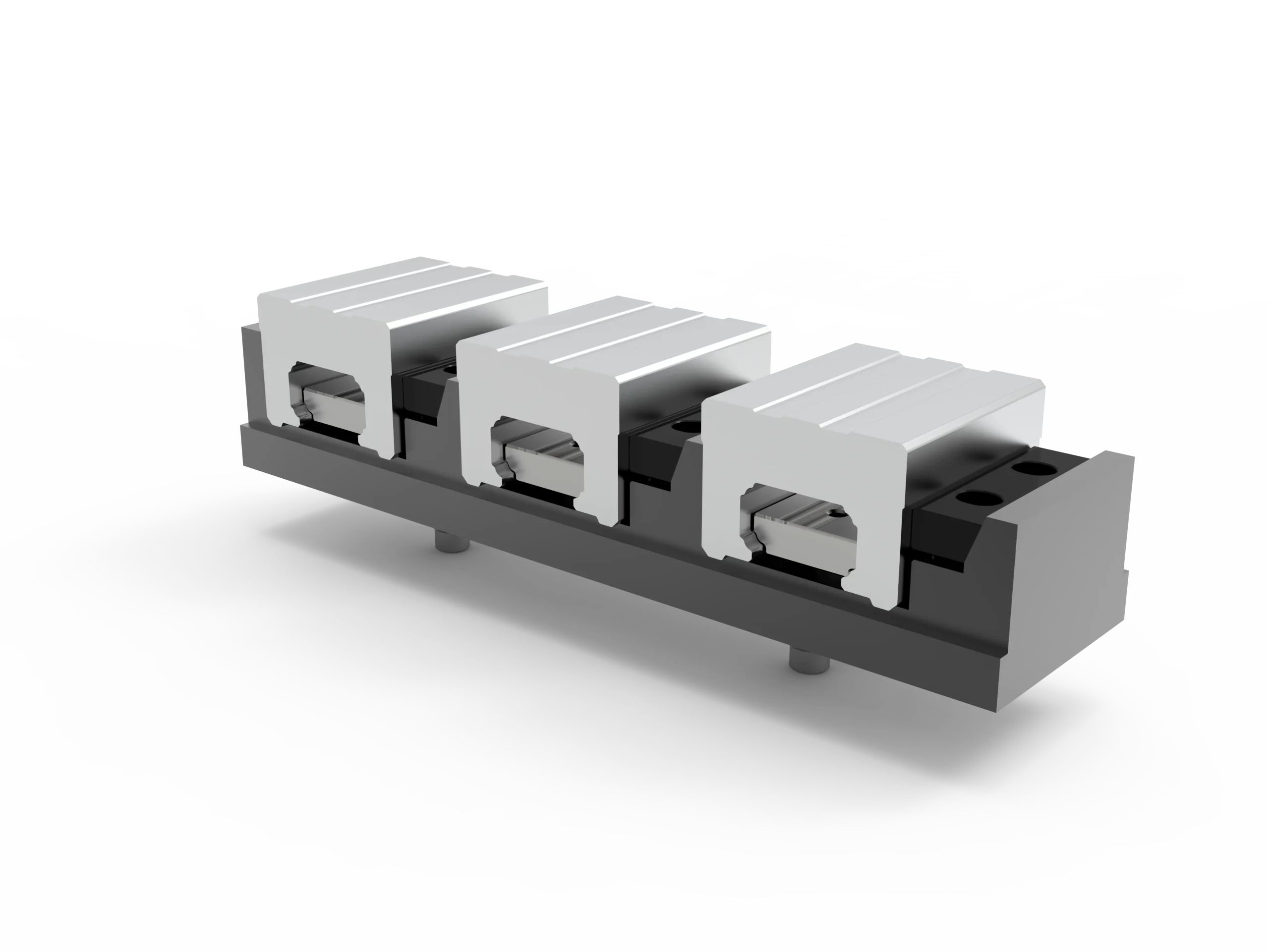
This is also the step that makes automation affordable later. Once your pallets are interchangeable and pre-indicated, a robot or pallet pool is a loading mechanism bolted onto a system that already works — not a rescue attempt on a workflow that does not.
Step 3 — Make clamping verifiable, not assumed
Before you trust a machine to run unattended, you need a positive signal that the part is seated and held.
- Use air-actuated clamping. A pneumatic vise or zero-point chuck gives a defined, repeatable clamp state instead of “however hard the operator pulled the handle.”
- Confirm the seat. Air blast through the locating faces before clamping clears chips; a pressure-confirmed seat tells the cell the part landed correctly.
- Insist on a fail-safe. Self-locking on air loss means a pressure drop parks the part safely rather than releasing it mid-cut.
- Keep the profile low. Robots need access. Low-jaw self-centering vises and compact zero-point bases leave clearance for the gripper and the tool.
For heavy parts where deflection is the risk, a pneumatic-hydraulic vise delivers high clamp force from shop air without needing a hydraulic power unit.
Step 4 — Choose the automation path that matches your part mix
There is no single “automation.” Three paths cover most shops, and the right one depends on volume and variety.
Robot tending — one machine, high volume, long runs.
A robot loads raw stock and unloads finished parts from a single fixture. Best when a part runs for hours and the gripper only has to handle one geometry.
Pallet pool / multi-station plate — high mix, short runs.
Instead of one robot and one vise, you stack several pre-fixtured pallets on a multi-station zero-point base. The machine works through the queue; the operator refills at the bench. This is the most forgiving path for job shops, because changeover never touches the spindle.
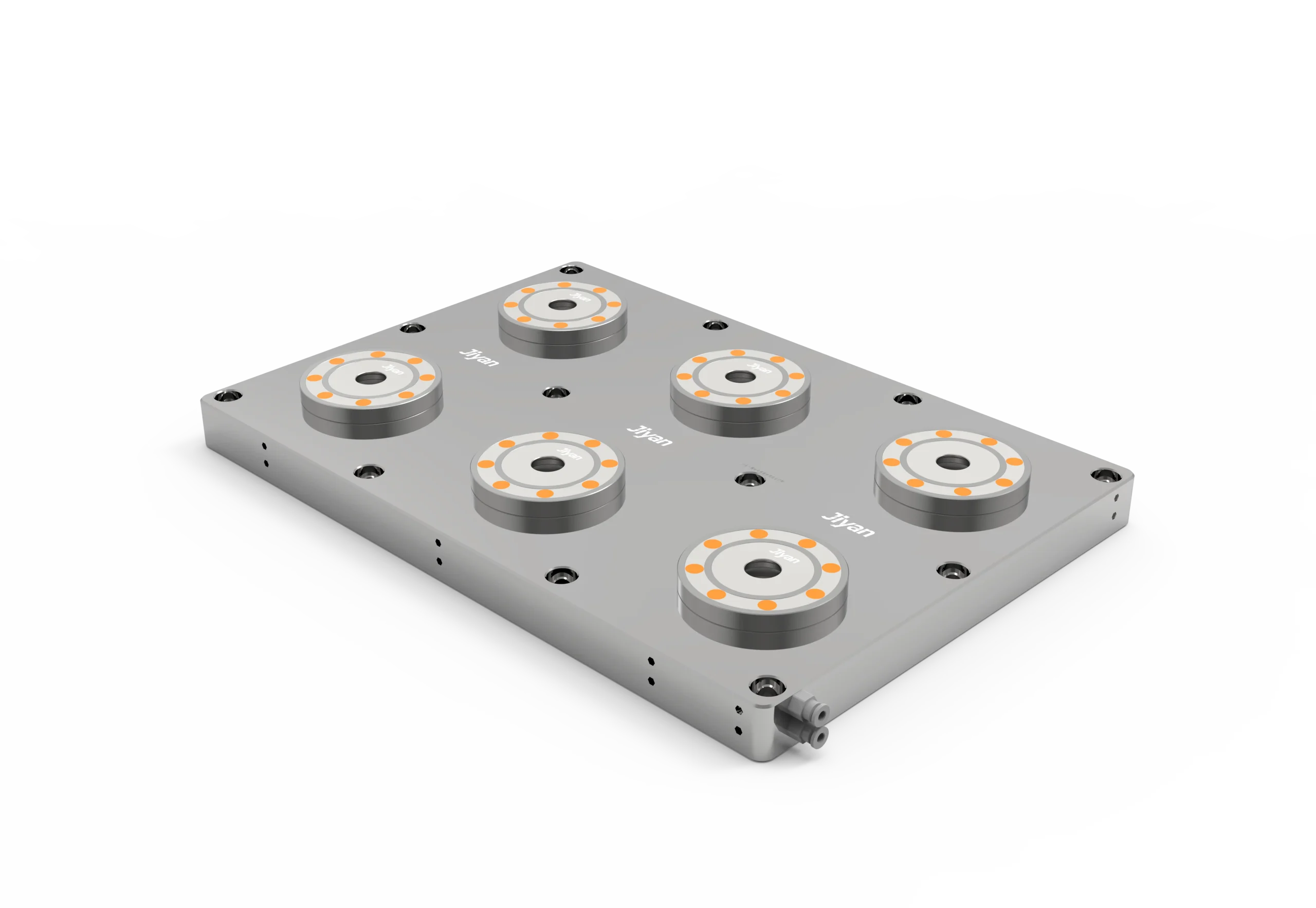
For larger envelopes, the H138 six-station system scales the same idea up.
Rotary / 4th-axis with zero point — families of parts.
When parts need multiple faces or indexed angles, a 4th-axis rotary with a zero-point interface lets one clamping serve several operations, and the pallet still transfers between machines.
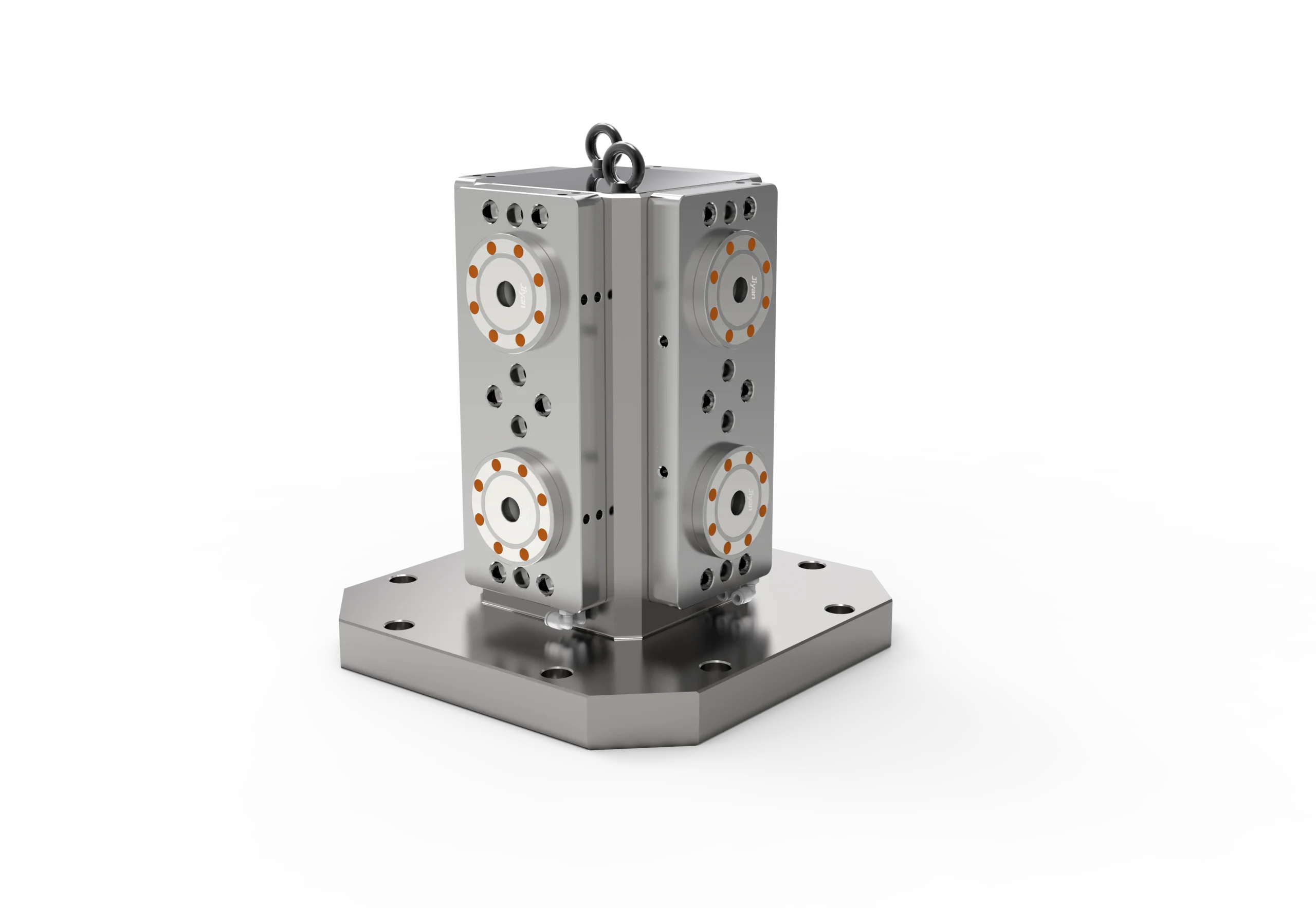
Batch multi-face work: a four-station cube (tombstone) presents four pre-indicated faces to the spindle — one table position becomes four work faces.
| Your situation | Start here |
|---|---|
| Long runs, one geometry, one machine | Robot tending on a low-profile self-centering vise |
| High mix, short runs, frequent changeover | Multi-station zero-point base + pallet queue |
| Parts needing 4 or 5 faces | Tombstone cube + zero-point base |
| Indexed side features | Bridge plate or 4th-axis rotary |
The numbers: what an automation-ready interface actually returns
The return comes from hours the spindle was already paid for but not cutting.
- Spindle uptime: 55% → 85–90% once setup moves off the critical path and pallets are queued in advance.
- Effective capacity: 1.4–1.6 machines from one machine on mixed, short-run work — no second machine, no second operator.
- Changeover: 40 minutes → about 90 seconds, which is what makes short runs viable at all.
- Unattended hours: the real prize is nights and weekends, where the marginal cost of spindle time is close to zero.
Treat these as directional, not contractual. Actual results depend on your part mix, tool life, chip evacuation and how disciplined the pallet queue is. What is consistent: the shops that get these numbers fixed the datum before they bought hardware.
If you want the full financial case, see our zero-point ROI breakdown and the comparison of adding capacity via workholding versus buying a second-hand machine.
Five mistakes that kill automated cells
- Automating a fixture that needs judgement. If the current setup only works because your best operator knows its quirks, automation will amplify the quirks.
- No chip management. Chips on the datum are the number one cause of mis-seated parts. Air blast through the locators before every clamp.
- More than one datum standard. Mixed interfaces mean pallets that only fit some machines, and a cell that cannot be load-balanced.
- Buying the robot first. Automating a process you have not stabilised just makes the failures faster and more consistent.
- Ignoring tool life and part presentation. Unattended hours will find your tool-life limits. Plan for probes, tool-life monitoring and a clean, repeatable gripper pick point.
Frequently asked questions
Do I need to buy a robot to benefit from automation-ready workholding?
No. Standardising on one zero-point datum and fixturing offline at the bench typically recovers more spindle time than a robot would, and it costs a fraction. It also makes a later robot purchase far more likely to succeed.
How repeatable does the interface need to be?
For most unattended work, ±0.005 mm at the pallet interface is comfortable. The bigger risk is not the repeatability number — it is inconsistent seating from chips or mixed datum standards.
What happens if the air supply drops mid-cut?
JIYAN zero-point clamps self-lock on air loss, so the pallet stays pulled down rather than releasing. That fail-safe is a prerequisite for running unattended, not a nice-to-have.
Can one pallet system serve machines from different builders?
Yes, provided you standardise on one interface and bolt pattern. That is precisely what lets you move work to whichever machine is free — the main scheduling benefit of a palletised cell.
Is automation realistic for a shop running mostly short runs?
Yes, if you start with a multi-station base and a pallet queue rather than a robot. Short runs are where changeover time is most punishing, and where pre-indicated pallets pay back fastest.
The bottom line
Automation is a loading decision layered on top of a datum decision. Get the datum right — one interface, offline setup, verifiable clamping — and unattended hours become a straightforward equipment choice. Get it wrong and the robot just repeats the inconsistency at speed.
Planning an automated or semi-automated cell? See how JIYAN workholding is applied across industry applications, or talk to our engineers about an automation-ready interface for your machines and part mix. We will size the zero-point system, pallets and clamping to your envelope — and tell you honestly if a robot is not the next step yet.
Automation lives or dies on repeatable changeover, and the zero-point clamping system guide explains the pallet-side mechanics that keep robot cells consistent.
Related: CNC Automation Warehouse — 5-Axis Automated Loading and Unloading — recommended reading before specifying automated storage and loading systems.